
Comparison guide
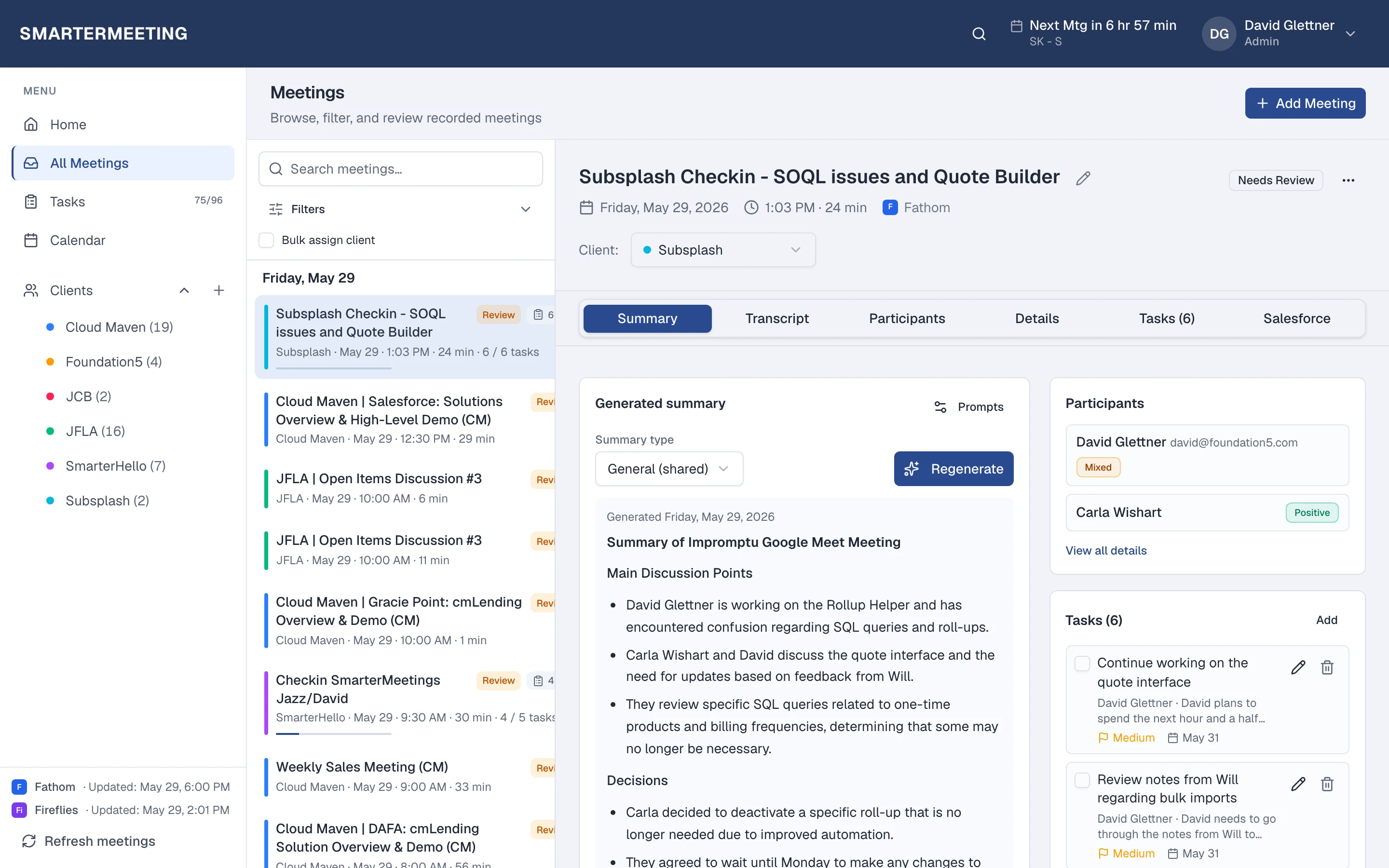
Fireflies captures calls. SmarterMeetings organizes what matters.
Sync Fireflies into a client workspace built for follow-up and CRM—not just search.

Fireflies.ai is a popular notetaker across Zoom, Teams, and other platforms. Search and AI summaries help individuals find moments in calls.
Client-facing teams often need more structure: which meetings belong to which account, what is still unreviewed, and what must land in Salesforce. SmarterMeetings syncs Fireflies and adds that operational layer.
Fireflies.ai notetaker vs SmarterMeetings
A side-by-side view of what each tool is built for—not a replacement, but complementary roles in your stack.
| Capability | Fireflies.ai notetaker | SmarterMeetings |
|---|---|---|
| Search past meetings | Yes — Fireflies search | Search across all connected providers |
| Client-centric organization | Limited | Client tags & filters |
| Team review workflow | Basic sharing | Reviewed / unreviewed status |
| Salesforce | Add-on / manual | Integrated workflow |
When Fireflies.ai notetaker is enough
- Individual contributors managing their own meeting library
- No multi-client handoff or CRM requirements
When teams add SmarterMeetings
- Shared client history across the team
- Fireflies plus Fathom or Zoom-native recordings
- Task ownership and Salesforce logging
SmarterMeetings connects to Fireflies.ai via API key. See setup details on the Fireflies.ai integration page.
How teams use both together
- 1
1. Connect Fireflies
API key connection in minutes.
- 2
2. Standardize review
Same checklist for every client call.
- 3
3. CRM sync
Log outcomes when the call moves the deal.
Frequently asked questions
- Do we still need Fireflies?
- If Fireflies is your recorder, keep it. SmarterMeetings is the workspace above it for client teams.
- Can we migrate off Fireflies later?
- SmarterMeetings supports many providers. You can add Zoom or Fathom and keep history in one inbox.