
Customer success managers
See renewal risk across every client call—not one tab per tool
CSMs need tone, unanswered questions, and commitment tracking across quarters. SmarterMeetings keeps every synced call on the client timeline with summaries, sentiment, and AI Q&A.
Start free trial
Renewal season across a book of forty accounts
A CSM can't rewatch every QBR. They filter Acme Corp's synced meetings from the last two quarters—Fathom for exec check-ins, Zoom for technical reviews—and skim summaries for tone shifts and unanswered product questions. Sentiment and Ask about client surface risks without watching six hours of video.
Renewal tasks get owners and due dates in the same workspace. Coverage reps pick up the account mid-quarter and see the same tagged timeline—not a forwarded link chain from the previous CSM.
When leadership asks what was promised on the last success plan call, the answer is searchable and client-scoped, not buried in a personal notetaker account.
The problem
- Renewal risk hides in calls spread across Fathom, Zoom, and email
- Rewatching QBR recordings doesn't scale across a book of business
- Handoffs to AMs lose context when notes live in personal tools
Sync touchpoints
All recorders
Filter by account
Client timeline
Skim + Ask AI
Risk & tone
Commit tasks
Renewal owners
CS follow-up at scale
Before
- Risk signals scattered across Fathom, Zoom, and email
- Rewatching recordings doesn't scale past a dozen accounts
- Handoffs lose context when CSMs change
- Renewal prep starts from incomplete call history
After SmarterMeetings
- Client-filtered inbox across every connected provider
- Summaries, sentiment, and AI Q&A on client corpus
- Shared Team workspace for coverage and handoffs
- Tasks tied to meetings for renewal commitments
How teams use SmarterMeetings
1. Sync every customer touchpoint recorder
Pull Fathom, Zoom, Teams, and other providers into one client-filterable inbox.
2. Tag calls to accounts and mark reviewed
Partners and CSMs agree on which calls need a pass before renewal season.
3. Use sentiment and Ask about client
Skim provider summaries and AI-derived participant sentiment. Ask questions scoped to the client's meeting corpus.
4. Extract renewal tasks with owners
Commit follow-ups from transcripts—owners and due dates stay visible on Home and client view.
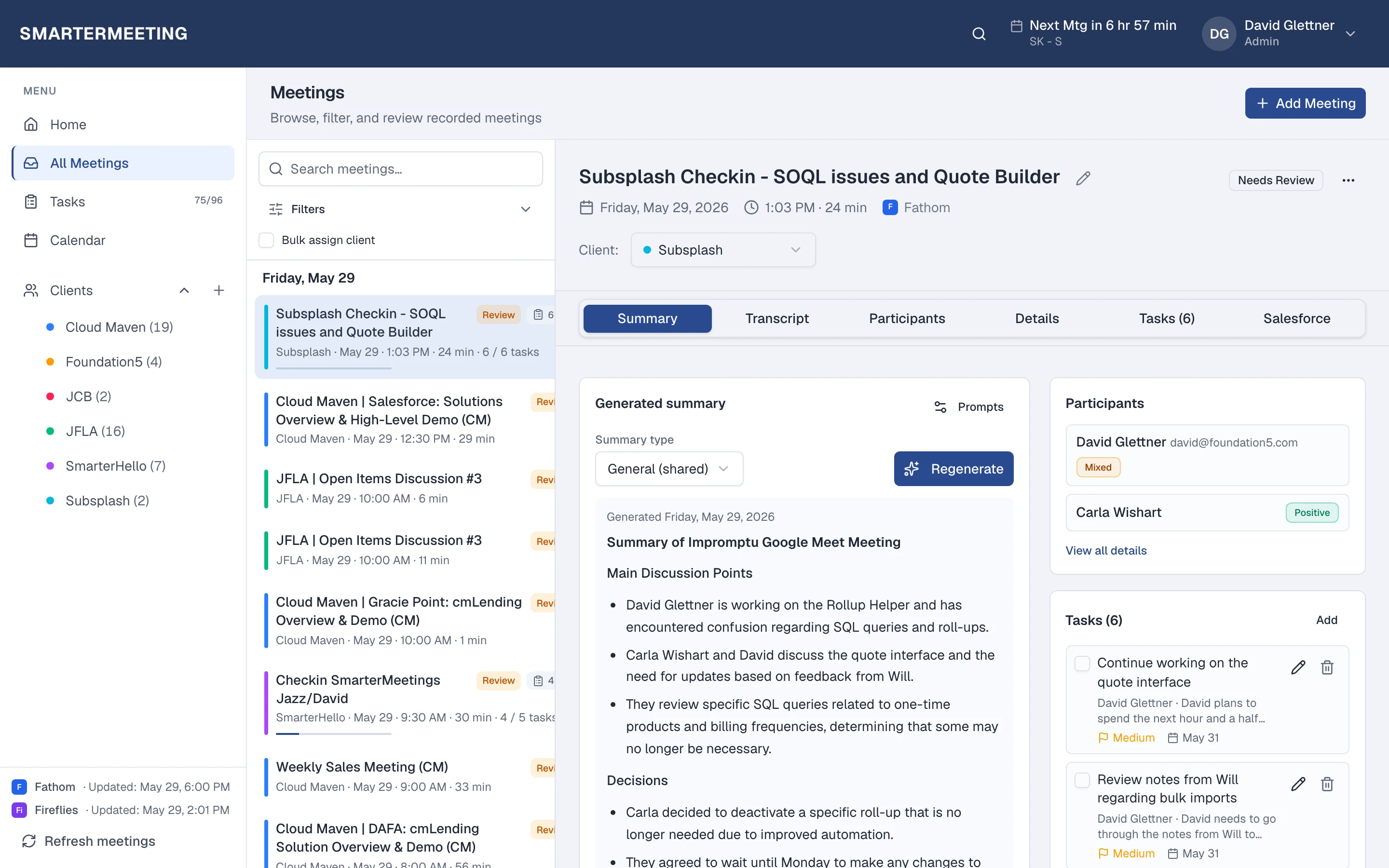
Typical stack
Most teams in this role already pay for capture and CRM—the gap is follow-up between them. SmarterMeetings sits in that layer without replacing tools your clients or reps already use.
- Fathom or Zoom
- SmarterMeetings
- Salesforce (optional)
Common objections—and how teams answer them
- “We already have a CS platform for health scores.”
- Health scores don't replace call context. SmarterMeetings gives you what was actually said—use both where each fits.
Frequently asked questions
- Do CSMs need Salesforce?
- Not always. Many CS teams use SmarterMeetings for client history and tasks; add Salesforce when you log success activities in CRM.
- Can multiple CSMs share client history?
- Team plans provide shared workspaces so coverage and handoffs use the same tagged meeting timeline.
- How does Ask about client work?
- Connect your LLM API key and ask questions scoped to a client's synced meetings—answers ground in your corpus, not generic chat.