
Consultants & fractional operators
Stop retyping recaps. Start owning follow-up.
Solo operators juggle notetaker + Docs + tasks + CRM. SmarterMeetings sits above your recorder and turns transcripts into committed work in one workspace.
Start free trial
Fractional operator, four clients, four recorders
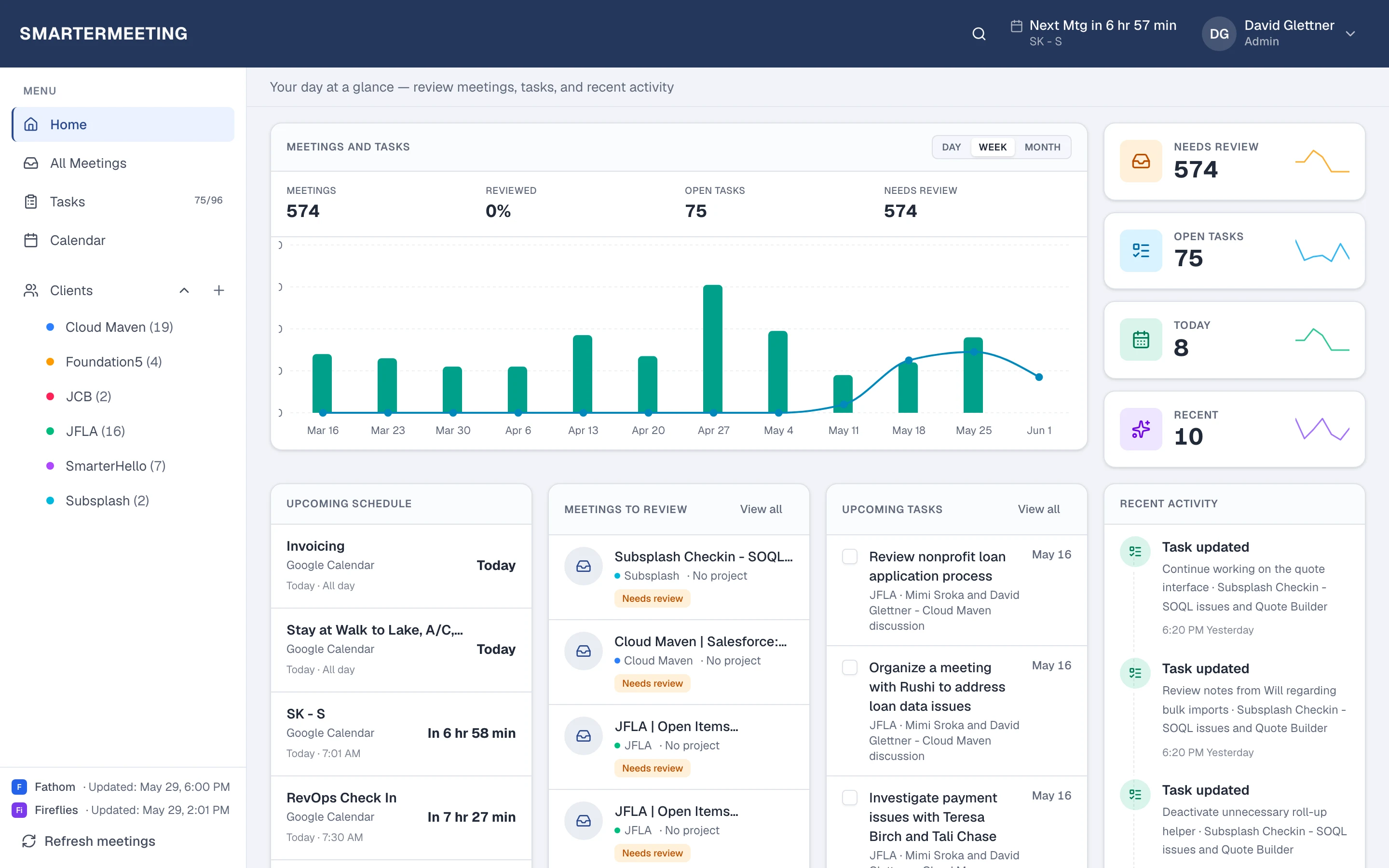
You advise one client on Google Meet, another on Zoom, a third uses Fathom internally, and a fourth forwards Otter links. Before SmarterMeetings, Friday meant four tabs and a Doc nobody updated. Now every synced call lands in one list—you filter by client before writing the weekly recap email.
Task extraction turns verbal commitments into owned work without retyping the transcript. You edit AI suggestions, assign yourself due dates, and link each task to the meeting it came from. When the client asks what you promised last month, you search the client timeline—not your inbox.
Solo consultants often start on Personal Starter for inbox and tasks, then add Personal Pro when pipeline logging matters. You scale seats only when associates join the same accounts.
The problem
- Recaps live in the notetaker while tasks live in a separate app
- Finding last month's client call means searching email and Slack
- CRM updates slip when you're the only one doing delivery and sales
Client calls sync
Any supported provider
Skim summaries
Transcript when needed
Extract tasks
Edit before commit
Tag & review
Client-ready state
Recap / CRM
Email or Salesforce
Solo consultant stack: before vs after
Before
- Recap in notetaker, tasks in Todoist, context in Google Docs
- Different recorder per client with no unified search
- CRM updates deferred until end of week (or skipped)
- Vacation coverage means forwarding links and hoping
After SmarterMeetings
- One inbox regardless of which tool recorded the call
- Client filter shows full timeline across providers
- Tasks committed from transcript with meeting linkage
- Salesforce push from same panel when you sell and deliver
How teams use SmarterMeetings
1. Connect your recorder once
Fathom API key, Zoom OAuth, or whichever tool each client prefers—sync on a schedule or on demand.
2. Skim summaries, jump to transcript when needed
Open the meeting detail for provider summary and full transcript without exporting files.
3. Extract tasks with AI, edit before commit
Run task extraction, assign owners and due dates, and keep tasks linked to the meeting and client.
4. Push to Salesforce when you sell and deliver
Personal Pro links calls to Accounts and Opportunities with rep-approved field updates.
Typical stack
Most teams in this role already pay for capture and CRM—the gap is follow-up between them. SmarterMeetings sits in that layer without replacing tools your clients or reps already use.
- Fathom or Otter
- Zoom or Google Meet
- SmarterMeetings
- Salesforce (optional)
Common objections—and how teams answer them
- “I'm solo—is this too heavy?”
- Personal Starter is built for solo operators: sync, client tags, tasks, and review—without team overhead. Upgrade when you add CRM or associates.
- “I already write recaps in Notion.”
- SmarterMeetings doesn't replace your wiki—it gives you structured meeting history and tasks tied to recordings. Link out to Notion for long-form deliverables; use SmarterMeetings for what was said on calls.
Frequently asked questions
- Is this overkill for a solo consultant?
- Personal Starter is built for solo operators who want one inbox and tasks without team overhead. Upgrade when you add CRM or seats.
- Can I use different recorders per client?
- Yes. Sync every provider you use. Filter by client to see the full timeline regardless of recorder.
- Do I need Salesforce?
- Only if you log pipeline activity from client calls. Many consultants use Starter for capture and tasks alone.
- Can I connect multiple Fathom or Zoom accounts?
- Yes. Multiple accounts per provider are supported when you separate personal and client workspaces.